DOOHid

Signage that just works. No CMS. No code.

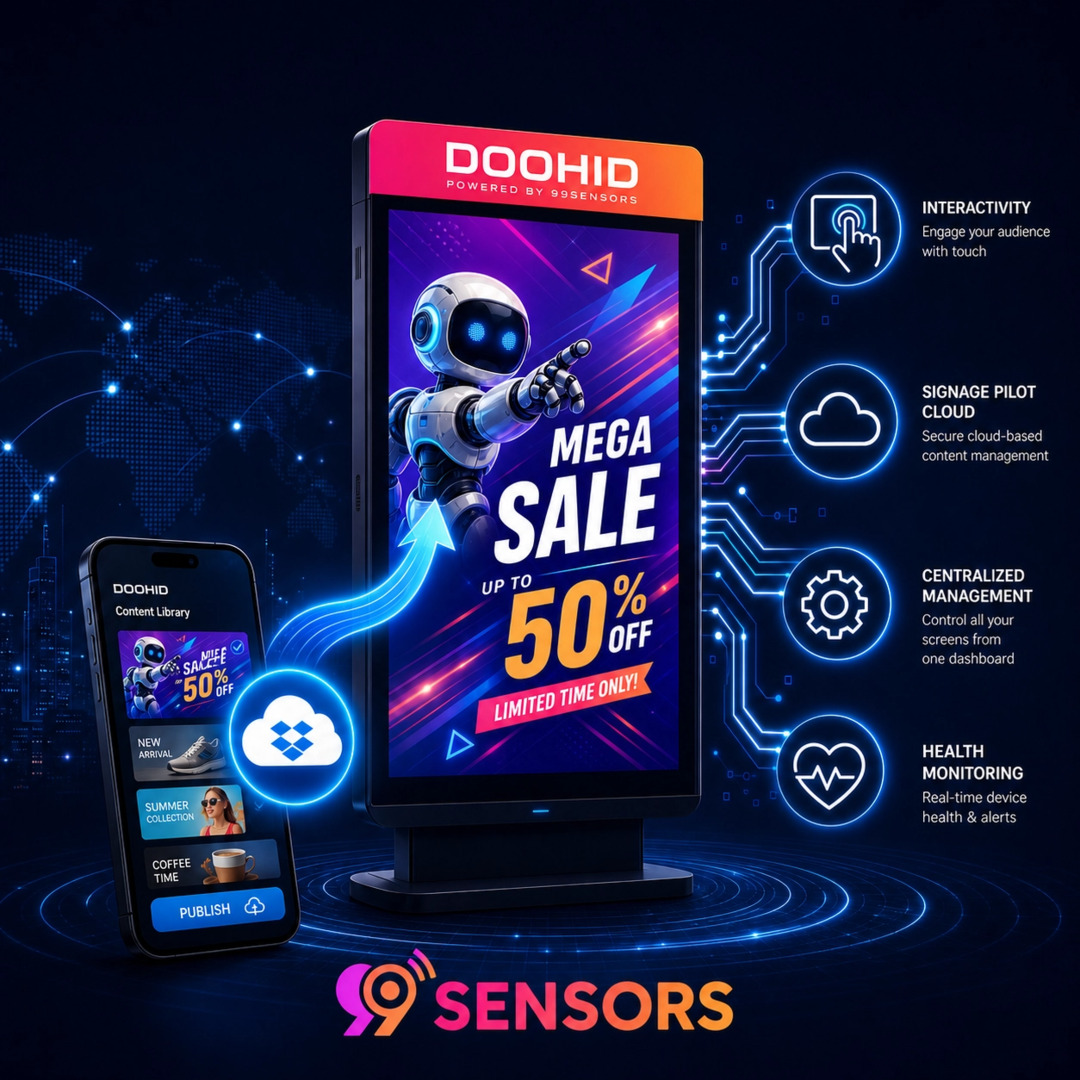
DOOHid digital signage stele with content library on a phone, cloud sync and device health icons

Works with the tools and hardware you already use

AndroidDropboxOneDriveNexmosphereSignage Pilot

Point DOOHid at a folder and it plays what is inside — images, videos and websites — updating every screen automatically. No content-management system. No programming.

Two things, done simply

No CMS. Just your cloud.

  • Play from a USB stick / SD card, or from a Dropbox or OneDrive folder
  • Cloud sync runs automatically at an interval you set — no manual pushes
  • Sign-in uses secure tokens, not stored passwords
  • Mixed content: images, videos and live or packaged websites in one playlist

Interactivity, without code

  • 7 automatic interactivity modes for touchscreens — no code (see below)
  • Per-content scheduling — show content only on specific dates & times
  • Optional Nexmosphere Lift & Learn sensors for touch-free triggers
  • Built-in REST server to trigger content from your own systems (GET request)
  • Companion mode keeps a page preloaded for an instant switch to a live AI agent
Interactivity

Seven modes, zero programming

Pick the one that matches your situation — each is just a setting. On a touchscreen it controls what happens on touch; without one, how content cycles.

Default

Simple, browsable sign

Content plays in order. A touch opens a gallery of thumbnails to pick from — or does nothing. Your choice.

Screensaver

Ambient → call-to-action

Content loops normally. A touch opens a specific web page, then returns to the loop after a timeout with no further touches.

Presentation

Staff-assisted demos

Like Default, but selected content stays on screen much longer and videos do not auto-return — giving you time to talk it through.

Teaser

One loop, rest on demand

A single teaser loops continuously. A touch opens the full gallery to browse everything else, then returns to the teaser after a timeout.

Kiosk

The screen is one website

Displays a single URL in fullscreen — your company site, a webshop, or a booking page.

Nexmosphere sensor control

Physical objects trigger content

Sensor events — lift, presence, button — are mapped to specific content instead of touch. Lift a product, the right content plays.

Companion

Instant switch to a live page

A companion web page is loaded up front and waits in the background. A REST call brings it to the front instantly — no loading moment — and hides it again. Built for a live AI agent behind your signage.

Downloads & resources

Everything to get started

● Available

Document · PDF

DOOHid Manual

The complete guide: setup, content sources, all seven interactivity modes, scheduling, REST control and fleet management.

Coming soon

Video · Product

Product Video

A short, punchy look at what DOOHid is and why it makes digital signage effortless. Currently in production.

Coming soon

In production

Coming soon

Video · Tutorial

Explainer Video

Step-by-step: install DOOHid, connect a content source and get your first screen playing in minutes.

Coming soon

In production

Runs on the hardware you have

Platform & devices

Operating systemAndroid 7.1 – Android 16
Root accessNot required — runs on stock Android
Fleet managementSignage Pilot Cloud (restart, health, playback log)

Content & formats

ImagesJPG, GIF, PNG (RGB)
VideoMP4 / H.264 — up to 30 fps, 10 Mbit (2K), 40 Mbit (4K)
WebsitesLive URL (.www) or packaged ZIP (index.html)
SourcesUSB / SD card, Dropbox, OneDrive

Interactivity & control

ModesDefault, Screensaver, Presentation, Teaser, Kiosk, Nexmosphere, Companion
SchedulingPer-file date/time rules via .schedule
External triggerREST server, port 8080 — ?action=play&src=FILE&type=img|video|www
Companion modePreloaded background page, shown and hidden via REST
SensorsNexmosphere Lift & Learn (touch-free)

Made to run unattended

Features

No CMS needed

Features

Set up in minutes

Features

Works offline once synced

Features

Your cloud, your rules

Features

Interactivity without code

Features

One dashboard, every screen

Pricing

Pay once per screen. Or license at scale.

Evaluation
Free / 30 days
Try DOOHid before you buy
Most popularLifetime
99 USD once / device
A single screen or a small fixed set of devices
Signage Pilot Cloud
99 USD / year
Remote monitoring & control across your fleet
OEM server
from 9,999 USD
500 or 1,000 device licenses for OEMs & integrators

Prices exclude VAT. Licenses are bound to a single device. Using a cloud provider (Dropbox or OneDrive) as your content source may involve costs from that provider, separate from your DOOHid license.

Hardware-aware software from a sensor company

DOOHid is built by 99sensors GmbH in Limburg, Germany — the team behind interactive retail and sensor solutions used across POS, hospitality and exhibition environments. Designed for devices that run unattended for months, operable by a non-technical team.

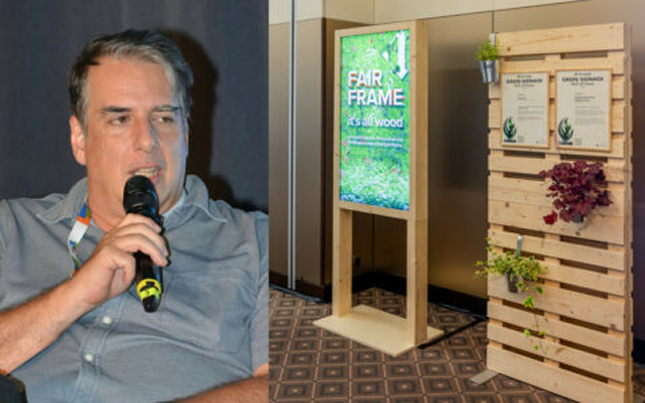
Florian Bogeschdorfer as speaker at ds conference

Common questions

Do I need a content-management system to use DOOHid?

No. DOOHid reads directly from a folder you already control – a USB stick, or a folder in Dropbox or OneDrive. There is no separate CMS to license, host, or maintain.

Does DOOHid work without an internet connection?

Yes, once content has been copied to the device. An internet connection is required to activate the license and to sync content from a cloud source; USB-based setups can run fully offline after the initial copy. Live website content (.www files) does require a connection at playback time.

What Android devices does DOOHid support?

Android 7.1 through Android 16. No root access is required – DOOHid runs on stock Android devices.

How does interactivity work – do I need to program anything?

No. Choose one of seven built-in interactivity modes (Default, Screensaver, Presentation, Teaser, Kiosk, Nexmosphere sensor control, or Companion) and configure it with a few settings. No code, no separate app.

Can I trigger content from my own system?

Yes. Switch on DOOHid’s built-in REST server (Settings, Interactivity, off by default, port 8080) and any external system – a button, another application, a control system – can pick what plays with a single HTTP GET: http://DEVICE-IP:8080/?action=play&src=promo.mp4&type=video. The src parameter is the file name in your content folder, type is img, video, or www. No SDK, no integration project.

What is Companion mode?

Companion mode hands the screen over to a live, interactive web experience – for example an AI agent – without the visitor watching a page load. The companion page is loaded up front and kept waiting in the background while your normal content plays; a REST call brings it to the front instantly, and a second call returns to the signage loop. That preloading is the difference from simply triggering a website via REST, where the page only starts loading when the request arrives.

Can I manage many screens at once?

Yes, with the Signage Pilot Cloud add-on: a dashboard for remote restarts, health alarms (CPU, RAM, storage, offline detection), and a playback log across your whole device fleet.

What does DOOHid cost?

A Lifetime license is 99 USD per device, one-time. Adding Signage Pilot Cloud live dashboards is 99 USD per year. Hardware manufacturers and integrators deploying at scale can license an OEM server for 500 devices (9,999 USD) or 1,000 devices (13,999 USD). Prices exclude VAT.

Can I try DOOHid before buying?

Yes. DOOHid runs free for 30 days as an evaluation version on your own device, with the full feature set.

One player, many sectors

Logo Design Element

Retail

POS displays, shelf-edge screens, promo loops
Logo Design Element

Hospitality

Ambient content that opens on touch
Logo Design Element

Exhibitions

Kiosk microsites and teaser galleries
Logo Design Element

Corporate

Reception and wayfinding screens
Logo Design Element

Integrators

Fleet rollouts across many locations
Logo Design Element

OEM / Makers

Server licensing at device scale

Success Stories:
Transforming Businesses with Smart Signage

Huu?

Huu?

02.02.2026

Huu? is an AI-powered audio solution designed for kiosks, digital signage, and interactive installations. It captures sound, isolates the active speaker, and delivers clean voice audio — even in noisy public environments. First shown with Napster at the CES 2026.
DOOHid digital signage stele with content library on a phone, cloud sync and device health icons
DOOHID

DOOHid

27.07.2026

DOOHid turns almost any Android device into a digital sign, an interactive kiosk, or a photo frame. Content comes from a USB stick or a cloud folder you already use, and seven interactivity modes make the screen interactive without a line of code.

Let us put DOOHid on your screens.

99sensors GmbH
Kopenhagener Strasse 8
65552 Limburg – Germany

Phone: +49 6431 59619-40
Mail: support@doohid.tv

Office Hours
Monday – Thursday 08:30 AM – 12:30 PM | 1:00 PM – 5:00 PM
Friday 08:30 AM – 1:30 PM
or by appointment.

Questions about deployment, OEM licensing or a demo? We will get back to you. DOOHid also runs free for 30 days on your own device.

Contact Form Demo